Artificial intelligence can now rewrite a difficult letter, suggest words,
turn text into speech, transcribe a conversation and create realistic
computer-generated voices.
These abilities may sound particularly useful for someone living with aphasia.
They may also create new problems.
An AI system can misunderstand speech, confidently guess the wrong meaning,
change a person’s message or store information that should have remained private.
The most helpful way to think about AI for aphasia is not as a replacement for
speech therapy or human conversation. It is an optional communication tool that
may support a specific task when the person using it understands and wants that support.
What does “AI for aphasia” actually mean?
Artificial intelligence is a broad term. It does not refer to one device or
one type of treatment.
A person with aphasia may encounter AI inside:
- a smartphone keyboard;
- a speech-to-text service;
- a text-to-speech app;
- an automated transcription tool;
- a writing assistant;
- a conversational chatbot;
- a communication app;
- a voice-cloning service;
- software used by a speech-language pathologist.
Some of these features may already be present on an ordinary phone.
Predictive text, automatic captions and voice assistants all use forms of
automated language processing. Newer generative AI systems can also create
complete sentences, conversations and summaries.
This does not mean every AI feature is suitable for every person with aphasia.
Aphasia affects people differently. One person may find typing easier than
speaking. Another may understand pictures more easily than written instructions.
Someone else may find an AI interface more tiring than helpful.
If you are unfamiliar with the condition, start with our guide to
what aphasia means and how it affects communication
.
Why is AI attracting attention in aphasia care?
Many language tasks require considerable time and personal support.
A speech-language pathologist may need to analyse long speech samples.
A family member may help prepare messages. A person with aphasia may spend
several minutes trying to express one idea in writing.
AI can produce text or analyse language very quickly. Researchers are therefore
investigating whether it can make some parts of assessment and communication
support easier.
A 2025 proof-of-concept study involving 96 people with aphasia compared three
large language models with human raters. The models showed promising reliability
when scoring main concepts in structured story-retelling transcripts.
That finding is important, but it does not mean a chatbot can diagnose aphasia
at home. The study used a defined assessment task, prepared transcripts and a
research protocol. It examined one narrow part of language analysis.
Read the research in the American Journal of Speech-Language Pathology
.
AI performing a structured research task is not the same as AI independently
understanding a person’s everyday communication.
Seven ways AI may help someone with aphasia
1. Making written information easier to understand
AI can shorten a complicated letter or divide a long paragraph into smaller sections.
For example, a person might ask it to:
- use common words;
- keep one idea in each sentence;
- place important dates in bold;
- create a short list of actions;
- explain an unfamiliar term;
- turn a paragraph into yes-or-no questions.
The result must still be checked against the original information. AI can
accidentally remove a condition, change a date or make an inaccurate summary
sound convincing.
For principles that do not depend on AI, see
How to Make Written Information Aphasia-Friendly
.
2. Preparing short messages
Some people know what they want to communicate but find it difficult to construct
a complete written sentence.
AI may help prepare:
- a short text to a family member;
- an appointment question;
- a message asking someone to call;
- a simple response to an invitation;
- a list of topics for a conversation;
- several possible ways to express the same idea.
The person should choose the final wording.
Do not assume the longest or most polished version is the best one. A short
message that sounds like the individual may be more useful than a perfect
paragraph that sounds like somebody else.
3. Offering choices during word-finding difficulty
AI may generate a small number of possible words or phrases related to a topic.
For example:
Give me four common words connected with ordering coffee. Show each word
on a separate line.
This may be helpful when the right word feels close but remains difficult to retrieve.
However, endless lists can create more confusion. Ask for two, three or four
options rather than dozens.
Word-finding problems can occur for many reasons and do not automatically mean
a person has aphasia. Our separate guide explains
word-finding difficulty, possible causes and practical strategies
.
4. Practising predictable conversations
A chatbot can simulate a simple everyday exchange.
A person might practise:
- ordering a drink;
- introducing themselves;
- asking for help in a store;
- confirming an appointment;
- explaining that they need more time;
- beginning a phone call.
The practice should be calm and predictable.
A useful instruction might be:
Help me practise ordering coffee. Ask one short question at a time.
Wait for my answer. Do not correct spelling unless you cannot understand
the message.
AI conversation practice is not the same as speech therapy. It does not observe
the entire person, understand fatigue or reliably know why an answer was difficult.
It may nevertheless provide optional additional practice between real conversations.
5. Supporting typed or prepared speech
Some AI-powered tools can speak a typed or selected message aloud.
This may help when a person can recognise or type the intended words more
easily than they can say them.
The message could be:
- typed at that moment;
- selected from prepared phrases;
- built from picture choices;
- retrieved from a personal communication library.
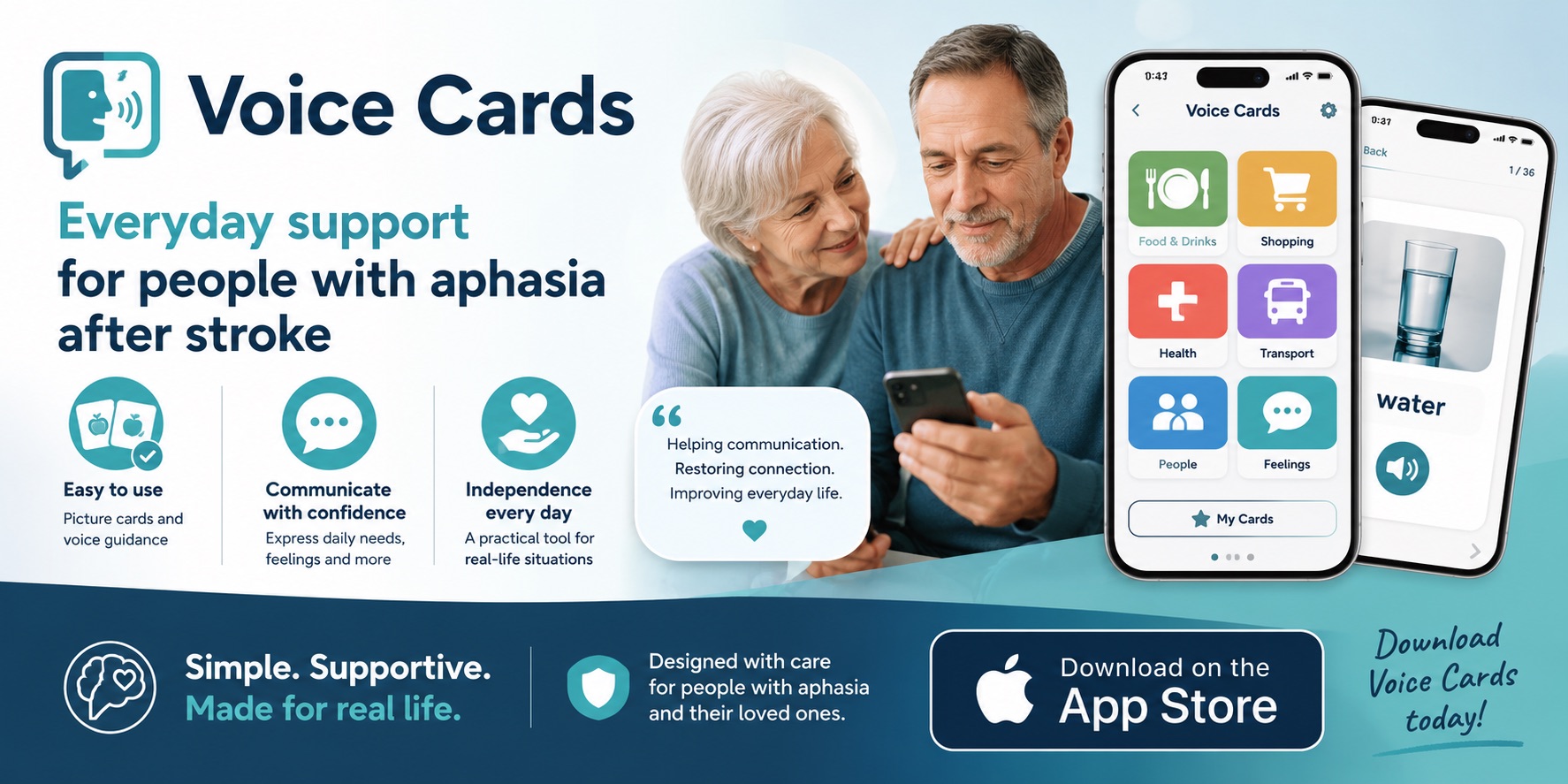
This overlaps with augmentative and alternative communication, commonly called
AAC. AAC can range from a simple picture board to software that produces speech.
The National Institute on Deafness and Other Communication Disorders provides
an overview of
assistive communication devices
.
AI is not required for AAC. A reliable set of pictures or familiar phrases may
be easier than a system that tries to predict an entire message.
See our practical guides to
apps for aphasia
and
communication boards for everyday support
.
6. Making a smartphone easier to use
AI features may support:
- message suggestions;
- captions;
- text recognition;
- read-aloud functions;
- typed speech;
- photo searches;
- reminders;
- simplified instructions.
But adding more technology does not always make a phone simpler.
If the screen is already overwhelming, another app, account or unfamiliar menu
may make communication harder. Begin by simplifying the device around the few
tasks the person actually wants to perform.
Our
smartphone guide for people with aphasia
explains how to organise calls, texts and everyday apps without taking over the phone.
7. Helping clinicians analyse language
AI may eventually reduce some of the time required to transcribe and analyse
speech samples.
Research has explored automated scoring of story retells, identification of
language errors and generation of therapy materials.
Results are promising but uneven.
One study used a language model to identify the words that people with aphasia
may have intended when producing paraphasias. The model exactly matched human
judgments only about half of the time. It performed better when the intended
word was less ambiguous and the aphasia was less severe.
Read the ASHA study
.
That limitation illustrates why human review remains essential.
What AI cannot safely do
AI cannot diagnose aphasia
Aphasia assessment examines much more than a short conversation.
It may include:
- spoken expression;
- understanding;
- reading;
- writing;
- repetition;
- naming;
- functional communication;
- medical and neurological information.
Other conditions can also affect communication. These include apraxia of speech,
dysarthria, hearing loss, cognitive changes and temporary medical problems.
An online AI response cannot replace a professional evaluation. Learn more in
Aphasia Tests Explained: WAB, BDAE, QAB and Screening
.
Sudden difficulty speaking or understanding language may be a sign of stroke
and requires emergency medical attention.
AI cannot always understand the intended message
AI systems predict likely language from patterns in data. They do not have
direct access to the person’s thoughts.
When a message is incomplete or contains an unexpected word, an AI system may:
- guess the wrong topic;
- replace a meaningful word;
- create details that were never provided;
- mistake uncertainty for agreement;
- produce a polished but inaccurate sentence.
A person with aphasia may then be placed in the difficult position of checking
language created by the same system that misunderstood them.
For important communication, another person should verify the meaning directly
with the speaker.
AI cannot replace a responsive communication partner
Successful communication involves more than producing grammatically correct sentences.
It includes:
- patience;
- eye contact;
- gestures;
- shared knowledge;
- emotional understanding;
- knowing when to wait;
- recognising uncertainty;
- allowing the person to change their mind.
A chatbot may imitate supportive language, but it does not share the relationship
or responsibility of a real communication partner.
AI should not replace speech-language therapy
AI may offer additional practice or help complete a specific task. It cannot
independently create a safe, individual treatment plan.
A speech-language pathologist can consider the person’s language profile,
communication goals, hearing, vision, movement, cognition, emotional well-being
and everyday environment.
If you are deciding whether professional support may be useful, see
Is Speech Therapy Worth It for Aphasia?
The main risks of AI for aphasia
Misunderstanding aphasic speech
Automatic speech recognition is usually developed using large collections of
typical speech.
Speech affected by aphasia, apraxia or dysarthria may contain pauses,
substitutions, repetitions or incomplete phrases that the system handles poorly.
An inaccurate transcript can be frustrating. It becomes more serious when it
is used for:
- medical communication;
- legal decisions;
- financial instructions;
- consent;
- emergency information.
Never assume a transcript is correct simply because it appears neat and complete.
Changing the person’s authentic voice
AI often tries to make language more fluent, formal or conventional.
That may remove personality.
A person’s message could become:
- more polite than intended;
- more certain than intended;
- less humorous;
- more complicated;
- emotionally different;
- unlike the way that person normally communicates.
The goal should not always be to produce perfect language. The goal is to help
the person express their own meaning.
Privacy and sensitive information
People may be tempted to upload:
- medical reports;
- therapy notes;
- speech recordings;
- photographs;
- names and addresses;
- insurance letters;
- financial documents;
- private family conversations.
Consumer AI services have different privacy policies. A health-related app
selected directly by a consumer may not be covered by HIPAA in the same way
as a hospital or healthcare provider.
The U.S. Department of Health and Human Services explains this distinction in its
health app privacy scenarios
.
Before entering sensitive information:
- check what information the service stores;
- check whether information may be used to improve the system;
- remove names and identifying details when possible;
- avoid uploading complete medical records;
- do not enter passwords, PINs or account numbers;
- ask a clinician before using a consumer tool for therapy recordings.
A free and convenient tool is not automatically a confidential healthcare service.
Taking over instead of supporting
AI can produce an answer so quickly that other people stop waiting for the
person with aphasia.
A caregiver may begin generating messages, completing sentences and selecting
replies without asking. This may make communication faster while reducing the
person’s control.
Before using AI, ask:
Do you want help with this message?
Then offer the smallest useful amount of support.
The person should be able to:
- reject a suggestion;
- change the wording;
- stop using the tool;
- communicate without AI;
- decide which information is shared.
Bias and unequal performance
AI may work differently across:
- languages;
- accents;
- dialects;
- severity levels;
- types of aphasia;
- speech affected by apraxia or dysarthria;
- people who use unusual sentence structures.
A tool that appears successful for a fluent English speaker may not work as
well for someone with severe aphasia or a bilingual communication history.
Do not interpret a system’s difficulty as a measure of the person’s intelligence
or potential.
A calm way to try AI
Start with one low-risk task.
Good first experiments might include:
- simplifying a public information leaflet;
- creating three short replies to a family message;
- preparing a shopping list;
- practising a familiar café conversation;
- organising phrases the person already uses.
Avoid beginning with medical, financial or legal communication.
A seven-step checklist
-
Choose one real goal.
Decide what the person wants to accomplish. -
Ask permission.
Do not introduce AI simply because a family member finds it interesting. -
Keep the task small.
One message or one short conversation is enough. -
Remove private details.
Use generic names and avoid sensitive records. -
Review the result together.
Ask whether the words express the intended meaning. -
Keep another communication method available.
Paper, pictures, gestures and prepared phrases should remain options. -
Stop if it adds frustration.
A tool is not helpful merely because it is technologically advanced.
Useful AI prompts for aphasia support
To simplify written information
Rewrite this in five short sentences. Use common words. Put one idea on
each line. Keep every name, date and amount exactly as written.
To prepare response choices
Create three possible replies: yes, no and not sure. Keep each reply under
six words.
To protect the intended meaning
Do not add new facts. If the meaning is unclear, ask one short question
instead of guessing.
To practise a conversation
Help me practise ordering lunch. Ask one short question at a time.
Wait for my answer. Do not correct spelling unless you cannot understand me.
To draft a personal message
Help me make this message shorter. Keep my tone warm and informal.
Show me two versions so I can choose.
To reduce visual overload
Turn this paragraph into a checklist with no more than five items.
Put the most important action first.
The person should be free to reject every suggestion.
What about AI voice cloning?
Voice cloning creates synthetic speech designed to resemble a particular person.
It may appeal to someone who wants digital speech to sound more personal than
a standard computer voice. Low-cost voice cloning has already appeared as a
discussion topic in the U.S. aphasia community, including at the
2025 Aphasia Access Leadership Summit
.
However, voice cloning raises additional questions:
- Did the person clearly consent?
- Who owns the recordings and generated voice?
- Can the voice be deleted?
- Could another person use it without permission?
- Does it represent how the individual wants to sound?
- Is the voice supporting communication or impersonating the person?
A cloned voice is biometric and deeply personal.
Do not create one from somebody else’s recordings without their informed
agreement. Never use a cloned voice to approve purchases, access accounts,
give legal consent or create messages the person did not choose.
When should a speech-language pathologist be involved?
Consider professional guidance when:
- communication has suddenly changed;
- the person has not received an aphasia assessment;
- AI repeatedly misunderstands the person;
- the system is being used for therapy exercises;
- a communication device is being selected;
- language and motor speech difficulties occur together;
- the person needs support for medical, workplace or community communication;
- the technology is causing frustration or dependence.
An SLP may help identify which parts of communication are strongest and select
technology around those strengths.
The best solution may involve AI. It may also involve a simple communication
board, written key words, gestures, photographs or better training for
communication partners.
Questions families should ask before choosing an AI tool
- What specific task will this tool help with?
- Can the person operate it without unnecessary assistance?
- Does it work with their speech and language pattern?
- Can suggestions be turned off?
- Can stored recordings and text be deleted?
- Is private information used to train the system?
- Does the tool require a constant internet connection?
- Is there a simpler non-AI alternative?
- Has the person agreed to use it?
- Can an SLP help evaluate it?
If these questions cannot be answered, delay entering private information.
Frequently asked questions
Can ChatGPT diagnose aphasia?
No. A chatbot cannot provide a reliable aphasia diagnosis. Assessment should
be completed by qualified healthcare professionals and usually includes
structured testing of several language and communication abilities.
Can AI provide aphasia therapy?
AI may support practice, preparation and communication, but it should not
be described as a replacement for individualized speech-language therapy.
Evidence for many consumer AI uses remains limited.
Can AI help with word finding?
It may provide choices, related words or visual prompts. This can be useful
for some people but overwhelming for others. The number and type of
suggestions should be adjusted to the individual.
Is speech-to-text accurate for aphasia?
Accuracy varies. Pauses, word substitutions, incomplete phrases, apraxia,
dysarthria, accent and background noise may all affect the transcript.
Important information must be checked.
Is AI voice cloning safe?
It can create a more personal synthetic voice, but recordings and voice
models require careful consent and privacy protection. A cloned voice should
never be used to make decisions or give consent on somebody’s behalf.
What is the best AI app for aphasia?
There is no single best app. The right choice depends on the person’s
communication goal, reading, writing, speech, comprehension, vision,
movement, privacy preferences and comfort with technology.
Should families correct AI-generated messages?
The first question is whether the message communicates what the person
intended. Correcting every spelling or grammar difference is usually less
important than preserving meaning and personal voice.
The most important principle
AI should increase a person’s choices.
It should not reduce them.
A useful tool may help someone prepare a message, find a phrase, understand
a letter or participate more independently in an everyday conversation.
But the person with aphasia remains the communicator.
Their words do not need to be perfect to be meaningful. Their message does
not need to sound machine-generated to have value. Faster communication is
not automatically better if speed is achieved by removing the person from
the conversation.
Use AI slowly. Check its work. Protect private information. Keep human
support available.
Most importantly, let the person decide whether the technology genuinely helps.